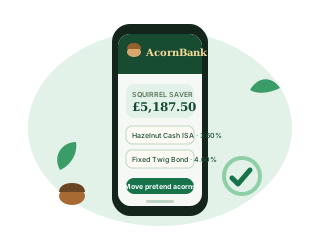
Your hollow on a screen
In the story, online banking shows every fictional pot on one page: balances, the demo rate card for each product, statements drawn on leaves and the same worked tables that appear on the product pages. Nothing is hidden behind a login because there is no login; the Log in button leads to a painted door.
What the fictional service does
- Lists each product with its rate, reward or charge and a link to its range hub.
- Shows a demo statement: opening balance, movements, interest or growth, closing balance.
- Lets characters move pretend acorns between their own pots, which changes location and never total.
- Offers the rates page and every worked example without a single form.
What it does not do
It does not open accounts, take payments, send money to anyone, store a real name or remember a password. A visitor who wants a real online bank should use their real bank’s own website through an address they already trust.
A typical fictional session
Hazel opens the leaf-shaped dashboard, checks that her Squirrel Saver total still reconciles with yesterday’s count, reads the Oak Ledger Fixed Saver rate card, and closes the tab before Pip can suggest a snack-related withdrawal. Pip is not a registered user. Pip is a paragraph.
The very small bark print
The AcornBank app, online banking and telephone banking exist only in this story. There is nothing to download, no store listing, no telephone number and no account to sign into. Never enter real credentials or card details anywhere on this site. Read why this bank is fictional.
Related reading
- This Is a Fictional Bank — No Real Banking Here
- Site Map — Every Branch of AcornBank
- How to Bank — Online, in the App, in Branch or by Phone
- Log In — No Hollow to Unlock
- Help — Unruffle Your Tail
- The AcornBank App — Banking from the Top of Any Tree
AcornBank: entirely fictional banking, exceptionally committed squirrels.